How Image Compression Impacts Your Website's Core Web Vitals
Understand how optimizing and compressing images directly improves LCP, CLS, and FID, boosting your SEO and Core Web Vitals scores.
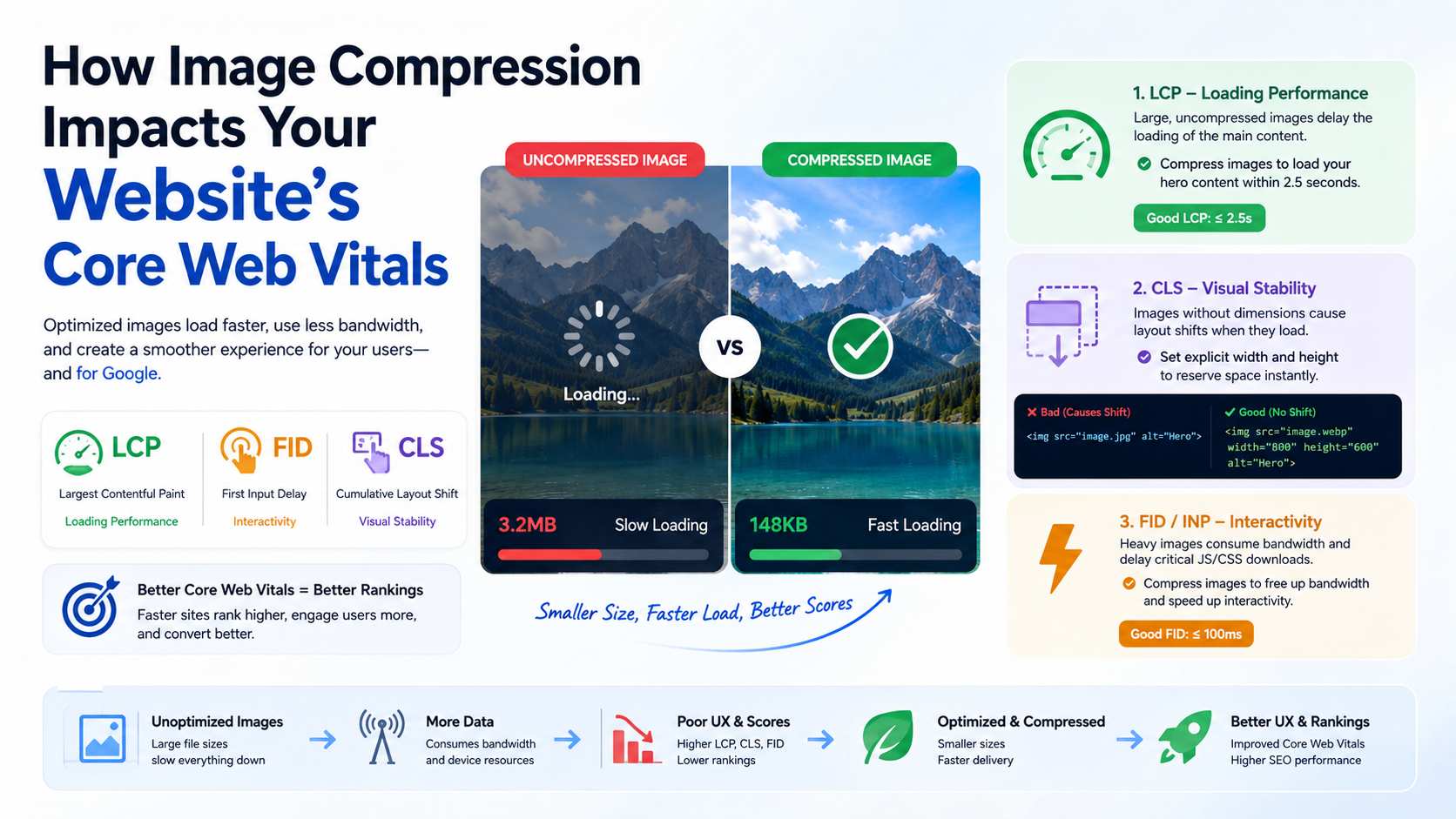
Google uses Core Web Vitals as a direct ranking factor for search results. These metrics—Largest Contentful Paint (LCP), First Input Delay (FID), and Cumulative Layout Shift (CLS)—measure the actual user experience of a webpage.
Among all the factors that can negatively impact your Core Web Vitals, unoptimized images are by far the most common culprit. Let's break down exactly how image compression influences these metrics.
Largest Contentful Paint (LCP)
LCP measures loading performance. Specifically, it marks the point in the page load timeline when the page's main content has likely loaded. To provide a good user experience, LCP should occur within 2.5 seconds of when the page first starts loading.
In modern web design, the largest element above the fold is almost always an image (such as a hero banner or a product photo). If that hero image is a 3MB JPEG, it will take several seconds to download on a standard 3G/4G connection. This instantly destroys your LCP score.
By compressing that hero image down to a 150KB WebP file, it downloads in milliseconds, instantly resolving your LCP bottlenecks.
Cumulative Layout Shift (CLS)
CLS measures visual stability. Have you ever been reading an article on your phone, and suddenly an image loads and pushes the text down, causing you to lose your place? That is a Layout Shift.
While compression itself doesn't fix CLS, the way you serve images does. You must always provide explicit width and height attributes.
<!-- Bad: Causes layout shift as the image loads -->
<img src="heavy-image.jpg" alt="Hero">

<!-- Good: Browser reserves space instantly -->
<img src="optimized-image.webp" width="800" height="600" alt="Hero">
First Input Delay (FID) and Interaction to Next Paint (INP)
FID measures interactivity. While images don't directly block the main thread like JavaScript does, downloading massive image files competes for network bandwidth. If the browser is busy downloading 20MB of unoptimized images, it delays the downloading of critical JavaScript and CSS needed to make the page interactive.
By aggressively compressing your images, you free up network bandwidth so the browser can download and parse interactivity scripts much faster.
References & Further Reading
Ready to optimize your images?
Try OFIC Free