The Hidden Cost of Unoptimized Images on E-Commerce Sites
Learn how heavy, unoptimized product images kill conversion rates and increase bounce rates on e-commerce websites.
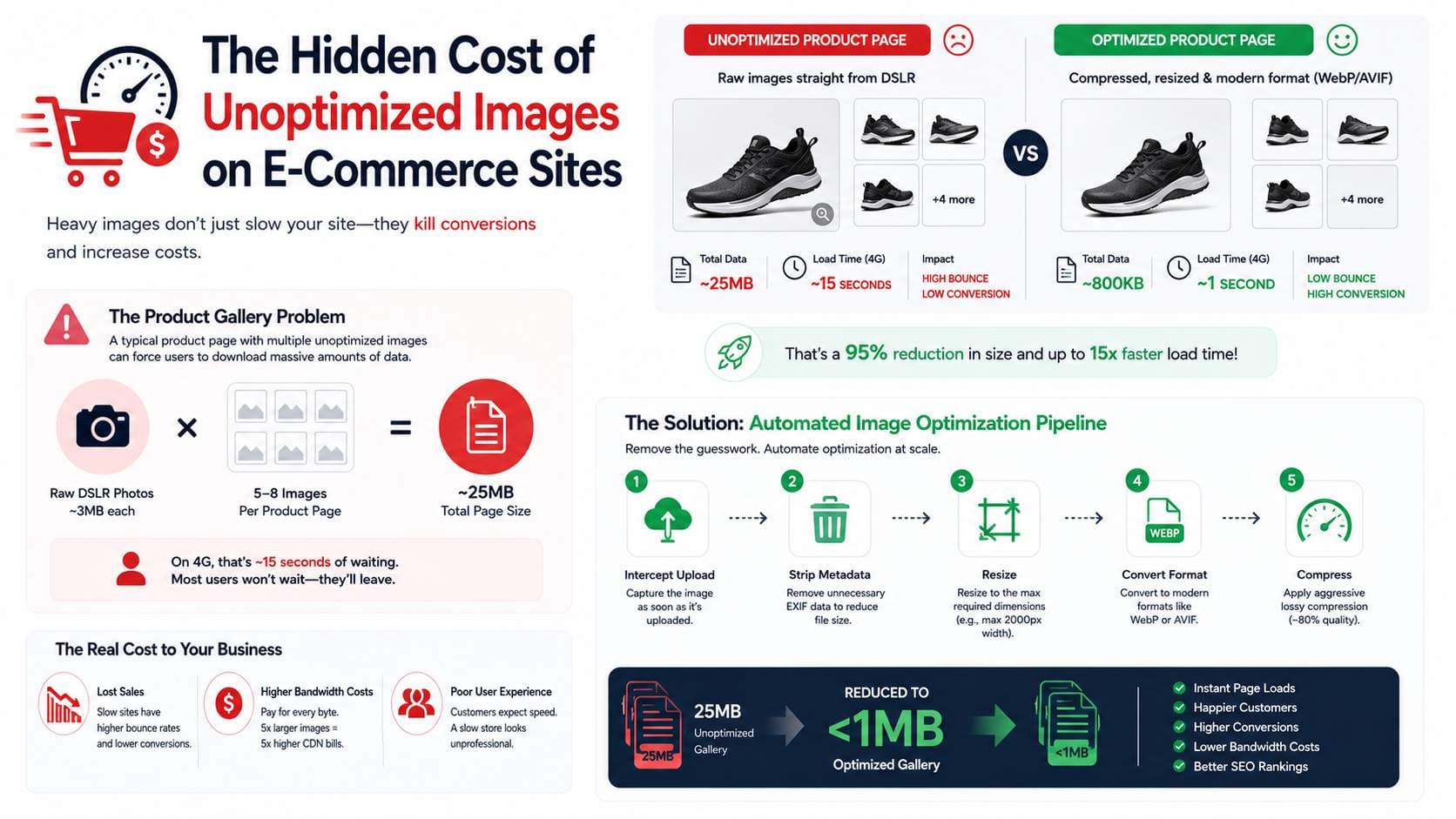
In the fiercely competitive world of e-commerce, speed is literally revenue. Amazon famously discovered that a delay of just 100 milliseconds in page load time cost them 1% in sales. If your online store is slow, your customers will simply leave and buy from a competitor.
The number one cause of slow e-commerce websites? Unoptimized product images.
The Product Gallery Problem
A typical product page features a main image and a gallery of 4 to 8 alternate angles. If a store owner uploads raw 3MB photos straight from their DSLR camera without compressing them, a single product page could require the user to download 25MB of data.
On a fast desktop Wi-Fi connection, this might take 3-4 seconds. On a 4G mobile network, this could take 15 seconds. The user will abandon the cart long before the page finishes loading.
Bandwidth Costs
Beyond lost sales, unoptimized images cost you directly in hosting fees. Services like AWS S3 and CloudFront charge by the gigabyte transferred. If your images are 5x larger than they need to be, your monthly CDN bandwidth bill is 5x higher than it should be.
The Solution: Automated Pipelines
You cannot rely on merchants or content managers to manually optimize every image before uploading it. E-commerce platforms must implement automated image compression pipelines.
- Intercept the image upon upload.
- Strip unnecessary EXIF metadata.
- Resize the image to maximum required dimensions (e.g., max 2000px width).
- Convert to WebP or AVIF format.
- Apply aggressive lossy compression (quality level ~80%).
By implementing these steps, that 25MB product gallery can be reduced to under 1MB, resulting in instant page loads and skyrocketing conversion rates.
Ready to optimize your images?
Try OFIC Free