The Ultimate Guide to Web Image Formats: JPEG, PNG, WebP, and AVIF
Learn the differences between JPEG, PNG, WebP, and AVIF. Discover which image format is best for your website's performance and quality.
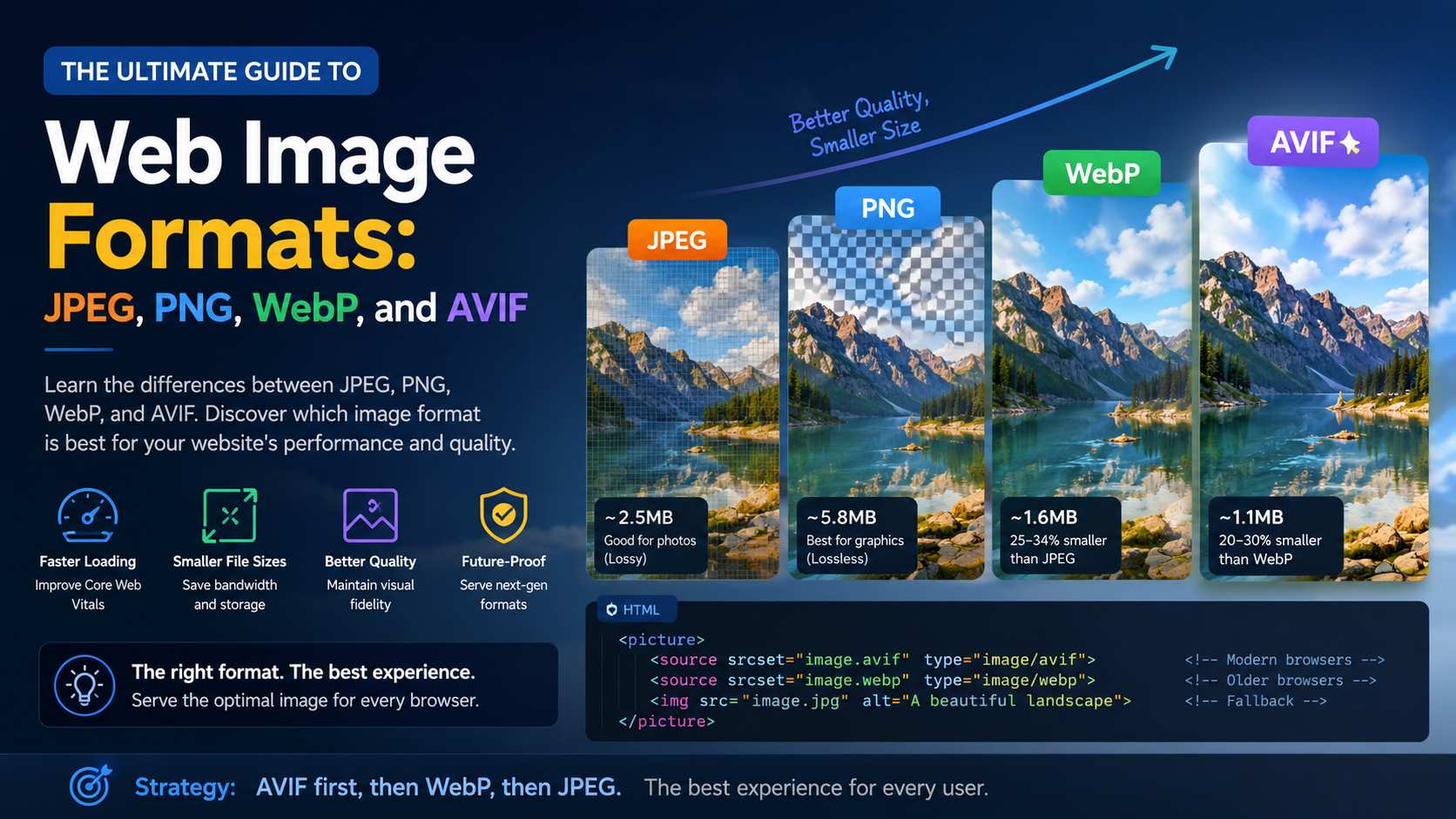
Choosing the right image format is critical for web performance. Historically, developers relied heavily on JPEG for photographs and PNG for graphics with transparency. However, modern formats have completely revolutionized how we deliver visual assets across the internet.
When a user visits your website, images usually account for more than 60% of the total downloaded bytes. If these images are not properly formatted and compressed, your site will suffer from slow loading times, poor Core Web Vitals scores, and ultimately, lower conversion rates.
The Classics: JPEG and PNG
JPEG (Joint Photographic Experts Group) has been the standard for digital photography for decades. It uses lossy compression, meaning it permanently discards some data to achieve significantly smaller file sizes. It is ideal for complex photographs where subtle color gradients exist.
PNG (Portable Network Graphics) was created as an improved, non-patented replacement for GIF. It uses lossless compression, preserving every single pixel of the original image. Because it supports an alpha channel (transparency), it became the go-to format for logos, UI elements, and graphics with text. However, PNGs are notoriously heavy and should rarely be used for photographs.
The Modern Era: WebP
Developed by Google, WebP was designed specifically to optimize images for the web. It is a highly versatile format that supports both lossy and lossless compression, as well as animation and transparency.
- WebP lossless images are 26% smaller in size compared to PNGs.
- WebP lossy images are 25-34% smaller than comparable JPEG images.
- Near-universal browser support (Chrome, Firefox, Safari, Edge).
WebP uses predictive coding to encode an image, the same method used by the VP8 video codec to compress keyframes in videos. This predictive coding uses the values of neighboring blocks of pixels to predict the value of a block, and then encodes only the difference.
The Future: AVIF
AVIF (AV1 Image File Format) is the newest contender, derived from the royalty-free AV1 video codec. The compression efficiency of AVIF is staggering.
Compared to WebP, AVIF can often reduce file sizes by an additional 20-30% while maintaining the exact same visual fidelity. Furthermore, AVIF handles sharp edges and high-contrast text much better than WebP, which sometimes suffers from color bleeding at lower bitrates.
<picture>
  <!-- Browsers that support AVIF will load this -->
  <source srcset="image.avif" type="image/avif">
  <!-- Browsers that support WebP but not AVIF will load this -->
  <source srcset="image.webp" type="image/webp">
  <!-- Fallback for older browsers -->
  <img src="image.jpg" alt="A beautiful landscape">
</picture>
Which Format Should You Choose?
The answer is no longer a single format. Modern web development requires serving the best format that a user's browser supports. Using a tool like OFIC or implementing the <picture> element allows you to serve AVIF to modern browsers, WebP to slightly older ones, and JPEG as a bulletproof fallback.
References & Further Reading
Ready to optimize your images?
Try OFIC Free